Compliance your customers can check themselves
Build customer confidence with a public compliance status page. Showcase your security posture, share documents under NDA, and demonstrate transparency — all powered by your live GRC data. Trust, made provable.
Public compliance dashboard
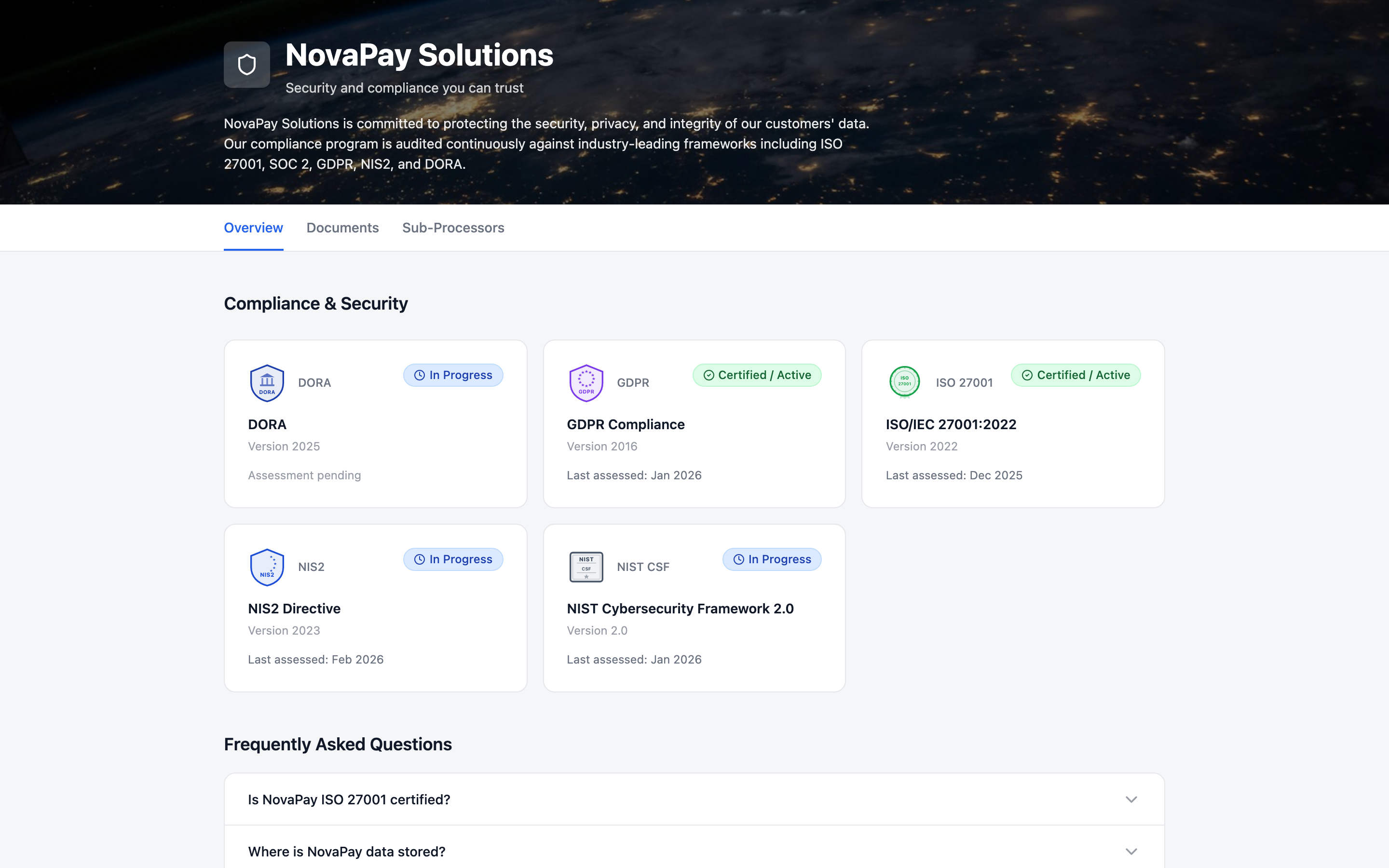
Publish a branded Trust Center page that automatically reflects your live compliance status. Visitors see framework badges, certification status, and last assessment dates — always up to date, zero manual effort.
- 01.1Auto-synced framework compliance status
- 01.2Custom branding, colors, and hero image
- 01.3Custom domain support (CNAME or reverse proxy)
- 01.4Public URL shareable with customers and partners
Secure document sharing
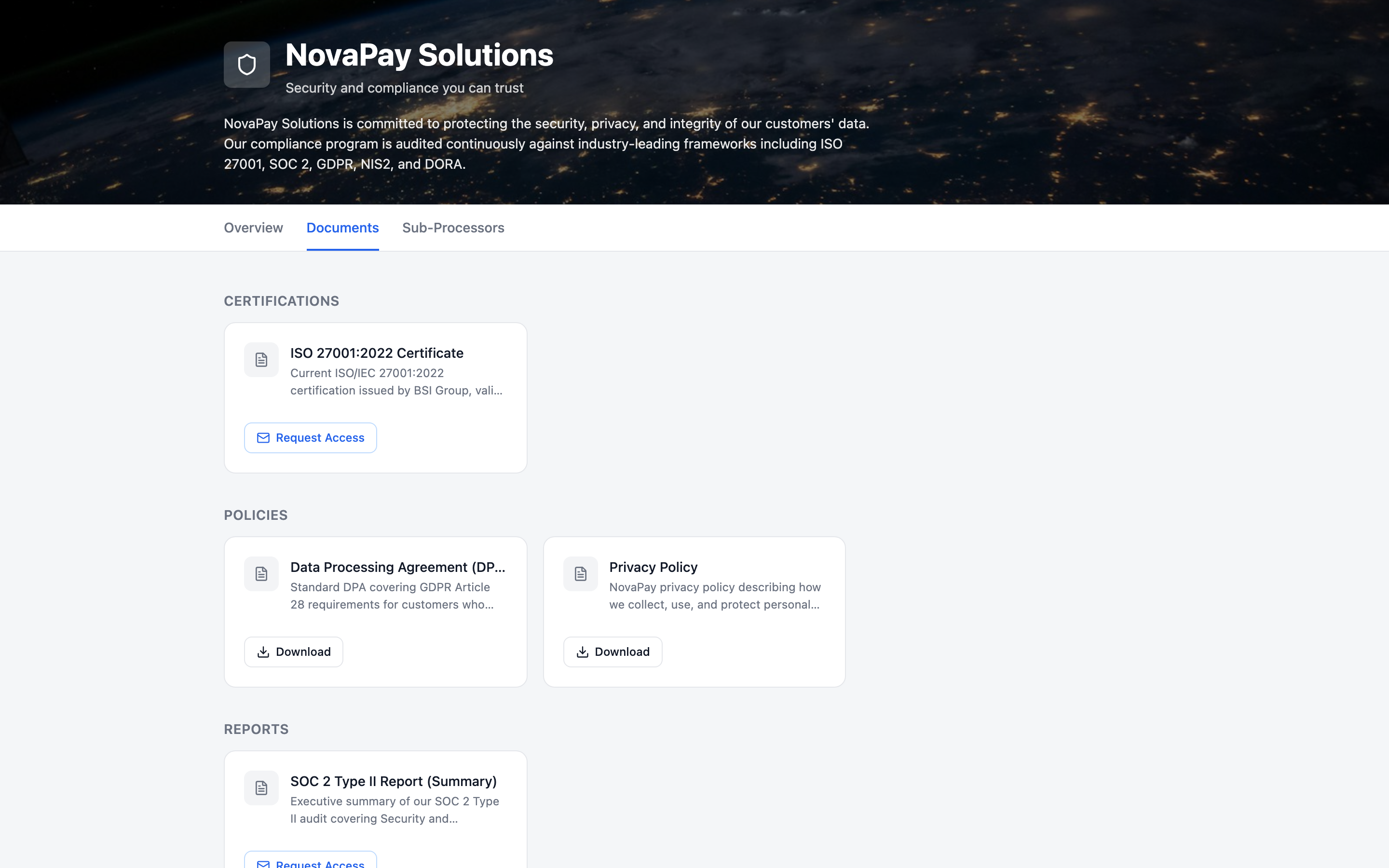
Share certifications, audit reports, penetration test summaries, and policies with granular access control. Documents can be public or require email verification with optional NDA/clickwrap acceptance.
- 02.1Upload certifications, policies, and reports
- 02.2Public or email-gated access per document
- 02.3NDA/clickwrap agreement before download
- 02.4Access request approval workflow with audit trail
Sub-processor transparency
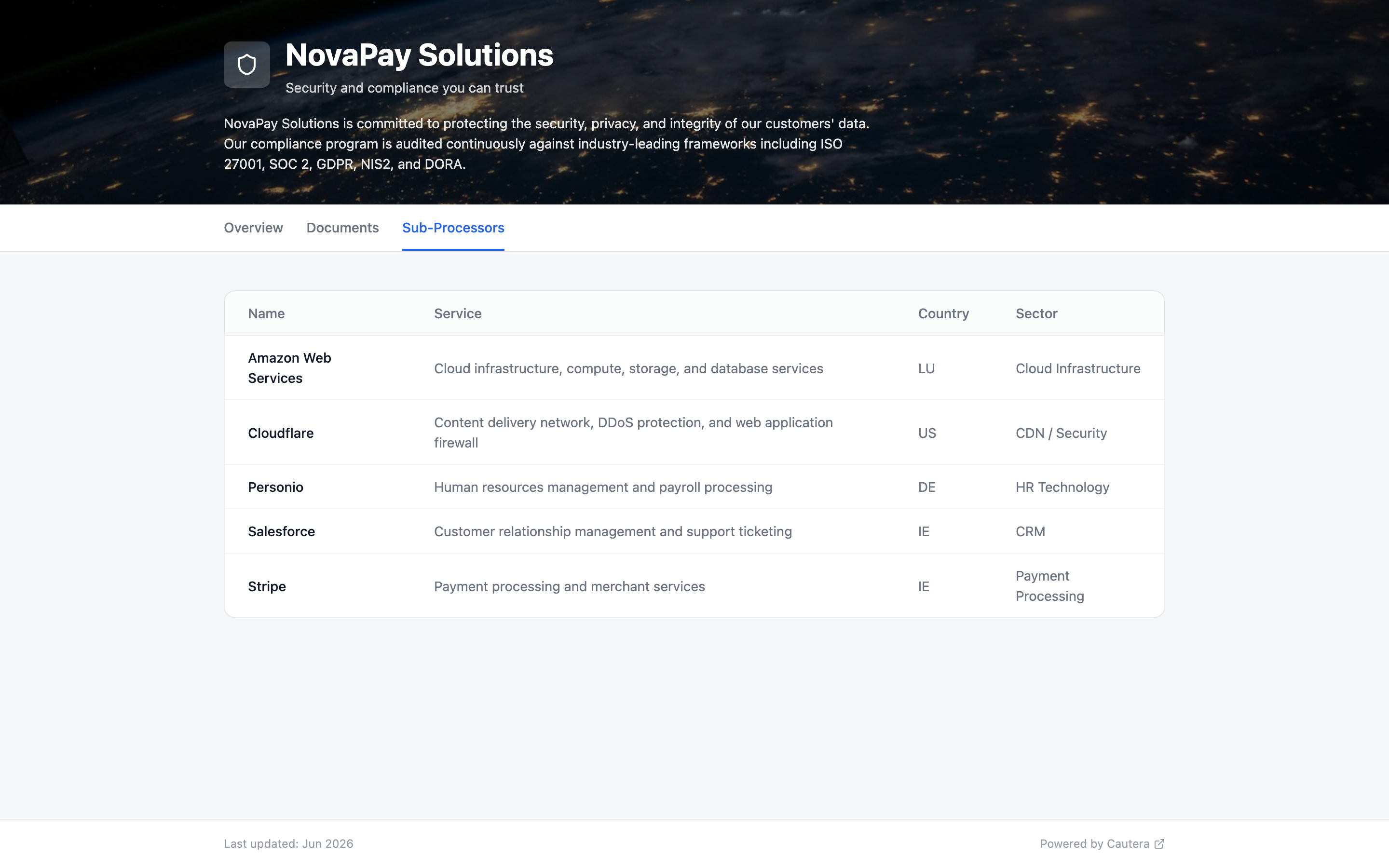
Automatically populate your Trust Center with sub-processor information from your vendor register. Select which vendors to display, add service descriptions, and keep your sub-processor list always current.
- 03.1Auto-populated from vendor register
- 03.2Toggle visibility per vendor
- 03.3Service descriptions for each sub-processor
- 03.4FAQ section with expandable Q&A
Build trust with transparency
Publish your compliance status and share security documents with confidence.